Slow, unstable or unreliable PCs
For computers that freeze, lag, crash, restart randomly or feel worse than they should.
Gloucester’s diagnostic repair specialist
Slow, crashing, freezing, failing to start, or just behaving like it has developed a personality problem?
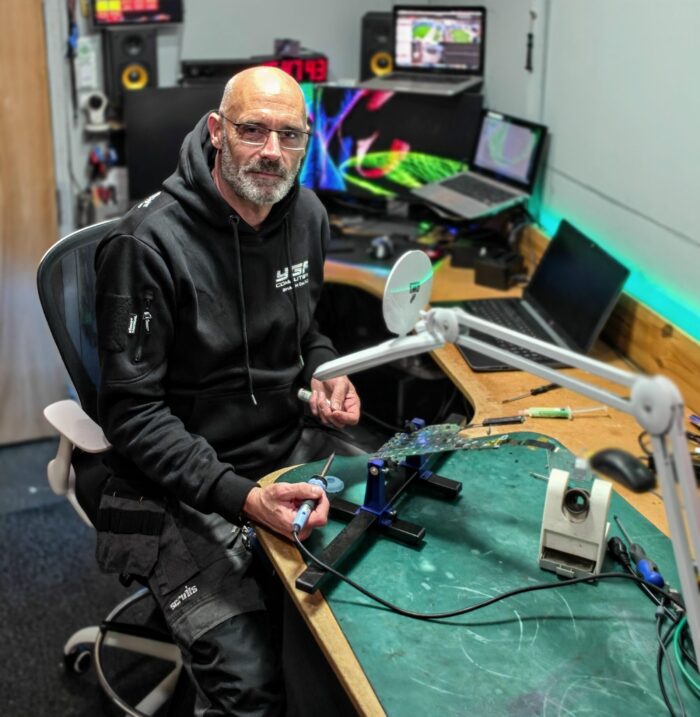
Your Geek Friend Computers provides computer repair in Gloucester with a strong focus on proper diagnosis before parts are replaced or bigger repair work goes ahead.
With over 25 years of hands-on technical experience and more than 15 years in business, I deal with everyday Windows faults, awkward intermittent problems, gaming PC issues, failed upgrades, malware, overheating and hardware faults.
Is this the right page?
This page is for PCs that are crashing, freezing, failing to start, showing errors, behaving unreliably, or showing signs of a hardware or Windows fault.
If the machine still boots into Windows and mainly feels slow, cluttered or messy, the Computer Service & Tune-Up may be the better starting point.
Diagnosis first
I do not believe in guessing, blindly replacing parts, or nuking Windows from orbit just because it is the quickest-looking option.
When you bring your computer in, I’ll check the most likely causes first, then give clear advice before repair work goes ahead.
The aim is simple: find the cause, explain the options, and avoid wasting your money on the wrong fix.
Common repairs
From everyday Windows faults to awkward intermittent problems, the important bit is working out what is actually causing the problem.
For computers that freeze, lag, crash, restart randomly or feel worse than they should.
For computers that get stuck loading Windows, show startup errors, blue screen, or refuse to boot properly.
For infected machines, unwanted browser behaviour, fake warnings, suspicious software and pop-ups that will not take the hint.
For older machines that are still worth improving, especially where a sensible upgrade gives better value than replacement.
For suspected failing drives, memory faults, power problems, overheating, damaged components or intermittent hardware issues.
For gaming PCs with crashing, heat, performance dips, upgrade problems, cooling concerns or custom build issues.
Gaming PC builds and custom PC helpFor machines with drive problems, missing files, startup issues or backup concerns.
For computers that have become worse after an upgrade, part swap, reinstall, or a well-meaning “quick look”.
Why diagnosis matters
Many computer problems look simple at first, but the real cause can be hiding underneath.
A slow PC might not just need a cleanup. It could have a failing drive, low RAM, overheating, corrupted Windows files, unwanted software, a weak power supply, or a poor previous repair.
A computer that “just needs Windows reinstalling” might actually have a storage fault, meaning the reinstall only hides the problem for a while.
Clear advice
You’ll be told what looks worth repairing, what does not, and what your options are.
If repair work, parts, upgrades or deeper testing are needed, I’ll explain the likely cost before going ahead.
If the machine is not worth spending money on, I’ll say so. Not every computer deserves another round of parts and optimism.
For diagnostic-only jobs, reports, insurance quotes, warranty evidence or situations where you only need the fault confirmed, charges may apply. Please see the prices page or contact me first if you are unsure.
Turnaround
Turnaround depends on the fault, workload and parts availability. Software repairs, malware cleanups and tune-up style jobs are often quicker. Hardware faults, intermittent problems and parts-based repairs can take longer.
If it is urgent, say so when you contact me and I’ll tell you what is realistic.
Related services
These pages may be a better fit depending on what is wrong with the machine.
FAQ
Yes, I repair Windows desktop PCs, all-in-one PCs, gaming PCs and custom builds.
Yes. If it will not start, will not load Windows, or blue screens before you can use it, it should be booked as a diagnostic or repair.
No. I check the likely cause first, then explain the options before repair work goes ahead.
Yes. If it still boots into Windows and mainly feels slow or cluttered, the Computer Service & Tune-Up may be the best starting point. If there are crashes, hardware faults or startup issues, this repair page is more suitable.
Yes. Virus, malware, pop-up and unwanted software removal or cleanup can be part of computer repair or tune-up work, depending on the machine.
Yes. If repair or upgrade costs do not make sense, I’ll tell you.
Book in Gloucester
Book a computer repair in Gloucester, or send a message first if you are not sure whether it needs repair, a tune-up, an upgrade or a proper diagnostic check.