

Why Is My Laptop So Slow? Common Causes, Simple Fixes, and When It’s Worth Getting It Properly Checked
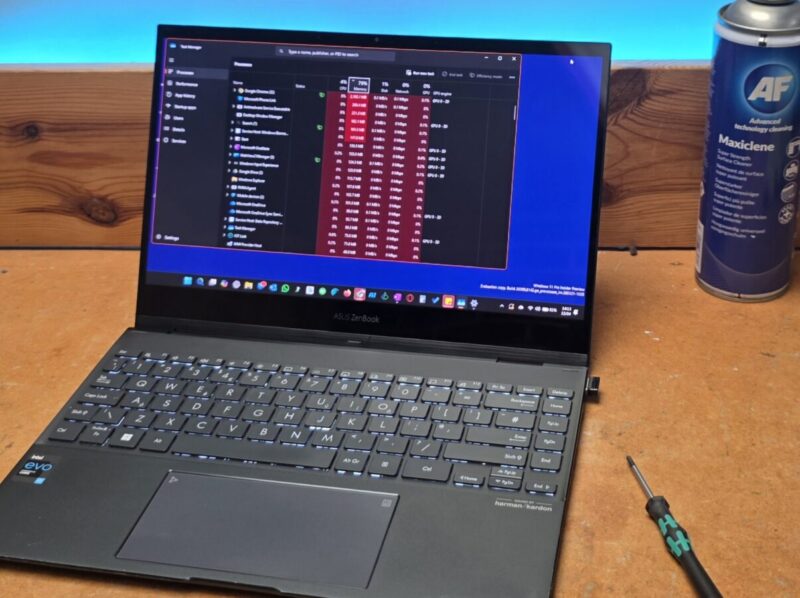
Laptop running slow? Here are the most common causes, what to try, and when it makes sense to get it properly checked before wasting money on the wrong fix.
You switch your laptop on, go and make a cup of tea, come back, and it’s still sat there looking confused.
Programs take ages to open. Websites drag. You click something and wait long enough to question your life choices.
If you’ve been asking, why is my laptop so slow?, you’re not alone. It’s one of the most common problems people run into, and the annoying part is that the cause is not always obvious.
Sometimes it’s something minor. Sometimes it needs a proper service. Sometimes it’s the first sign that a part is getting tired. The important bit is finding out which, before you waste money on the wrong fix.
What causes a laptop to run slow?
Most of the time, it is not one dramatic fault. It is a build-up of smaller issues over time.
Common causes include:
- too many programs loading at startup
- years of software clutter and junk files
- a drive that is nearly full
- an old mechanical hard drive
- overheating caused by dust build-up
- not enough memory for modern use
- background tasks dragging the system down
- malware or other unwanted programs
That is why “slow” can be a bit misleading. Two laptops can feel equally sluggish but have completely different problems. One may need a proper clean-up, one may need an upgrade, and one may be quietly heading towards a fault.
Why is my laptop slow when it starts up?
If it is worst when you first switch it on, startup programs are one of the first things to look at.
Many laptops try to load far too much in the background the moment Windows starts. Cloud apps, update tools, chat programs, printer software, browser helpers, bits of software you forgot you even had. Before you have opened anything useful, the laptop is already busy having a meltdown.
That can lead to:
- long boot times
- delays opening programs
- freezing or lag just after startup
- generally miserable performance for the first few minutes
If the laptop also has an old hard drive, that makes it even worse.
Why is my laptop so slow on the internet?
Sometimes the laptop is slow. Sometimes the Wi-Fi is poor. Sometimes it is both, which is always fun.
A slow online experience can be caused by:
- weak Wi-Fi signal
- too many browser tabs open at a time
- too many browser extensions
- background syncing or updates
- low RAM memory
- high CPU usage
- malware or other unwanted software
If only websites are slow, the issue may be internet related. If the whole machine feels sluggish, it is usually more than that.
Can a slow laptop be fixed?
More often than not, yes.
A slow laptop does not automatically mean you need a new one. Plenty of machines get replaced too early when what they actually needed was proper attention.
Depending on the cause, a slow laptop may improve with:
- a proper service and tune-up
- startup and software cleanup
- internal dust cleaning
- an SSD storage upgrade
- a RAM memory upgrade
- diagnosis of an underlying fault
Sometimes replacement is the right choice. But there is no point guessing, and no point throwing money at an old machine blindly either.
How can I speed up a slow laptop?
There are endless articles online telling people to delete a few files, restart the machine, and turn off visual effects. Fine. Sometimes that helps.
But when someone says their laptop is slow, what they usually mean is one of these:
- it feels awful to use every day
- it takes ages to do basic jobs
- they are fed up and want to know whether it is worth sorting
That is where proper diagnosis by an expert matters.
Because “slow” is a symptom, not an answer.
You can poke around trying random tips from the internet, but unless you know what is actually causing the problem, you are mostly just guessing and hoping for the best.
Signs it needs more than a basic tidy-up
It takes ages to start
A slow startup can point to too much loading in the background, an ageing drive, or hardware that is simply too outdated for modern use.
It gets hot or noisy
Heat and dust can have a real effect on performance. If the fan is constantly going mad, the laptop may be slowing itself down to protect its components.
It freezes, hangs, or behaves oddly
That usually suggests there is more going on than a bit of clutter.
It has become a pain to use
If opening emails, browsing the web, or saving files feels like hard work, something is not right.
You are not sure whether it needs a repair, upgrade, or replacement
This is where honest advice matters. No point paying for the wrong thing.
Is it worth repairing or upgrading a slow laptop?
That depends on the laptop’s age, condition, and spec, along with what you actually need it for.
Sometimes a tune-up is enough. Sometimes an SSD or RAM upgrade makes a big difference. Sometimes the machine is at the point where spending more on it does not make much sense.
The key is getting a straight answer.
That is how I work at Your Geek Friend Computers. If the laptop is worth sorting, I will say so. If it is not, I will say that too. No waffle, no pressure, and no magical promises about turning a worn-out old laptop into a rocket ship.
Slow laptop in Gloucester? Here’s where I can help
If your laptop is running slow and you are in Gloucester, I can help work out whether it needs:
- a service and tune-up
- a repair
- a hardware upgrade
- or a frank conversation about whether it is time to replace it
I deal with laptops and PCs that are slow, unreliable, noisy, clogged with dust, or just generally doing your head in.
The aim is simple. Find the actual cause, explain it clearly, and help you make the most sensible decision.
Final thoughts
If you have been searching why is my laptop so slow, the main thing to know is this:
Slow does not always mean finished.
But it usually does mean something needs attention.
A lot of people put up with a badly performing laptop for months longer than they should. They develop little rituals around it. Click this, wait for that, do not open too much at once, do not let it go to sleep or it throws a strop. That is not normal. That is you adapting to a machine that needs sorting.
If you are in Gloucester and want honest advice on a slow laptop or PC, get in touch with Your Geek Friend Computers. I will tell you whether it needs a tune-up, an upgrade, a repair, or whether it is simply not worth spending money on.
Need me to take a look? Get in touch and I’ll tell you straight whether it’s worth sorting.
 Previous Post